
Settings
Fleck 5600SXT Programming Guide
This Fleck 5600SXT programming guide puts the manual's button sequences, master programming screens, cycle times and display messages in plain English, with each step tied to the manual it comes from.
Disclosure: watersoftenerguide.net is owned by the team behind SoftPro Water Systems and Quality Water Treatment, which sell some of the parts and systems we link to. Our steps follow the makers' manuals and published instructions, checked October 2026. Always check your own model's manual first. Ownership disclosure
View at Quality Water Treatment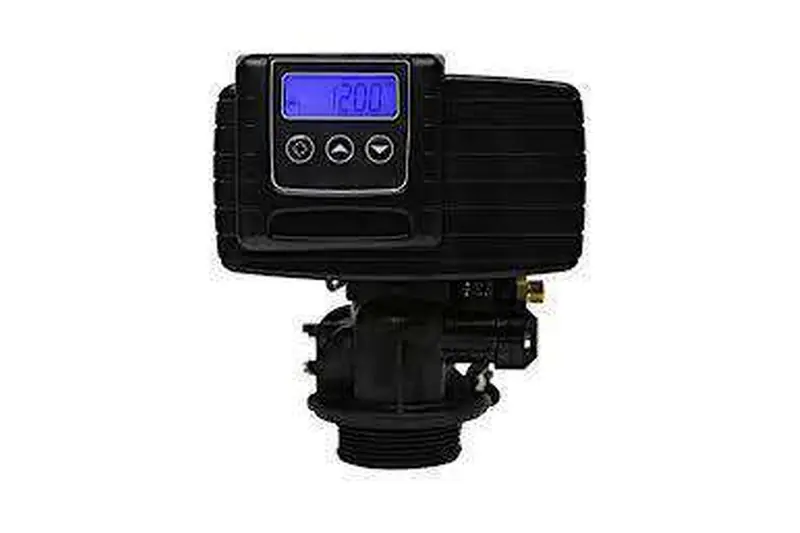
On this page
Quick answer
- User settings: hold Up and Down for 5 seconds when the time is not 12:01 PM.
- Master programming: set 12:01 PM, press Extra Cycle, hold Up and Down.
- Press Extra Cycle to accept each screen; the last one saves and exits.
- Hold Extra Cycle 5 seconds to start a regeneration now.
- Manuals differ on error code names, so match your own board's manual.
This page draws on three documents. The Fleck Model 5600SXT Downflow Service Manual, part number 42684 Rev B, is the main source. Pentair's 5600SXT Softener System Operation Manual, 4005293 Rev B, and the Fleck SXT Timer Supplemental Service Manual, 42713 Rev D, cover the same control with some differences. Quality Water Treatment's 5600SXT install guide (v2021a) adds the values it programs on the units it sells. Where they disagree, we say so; follow the manual that matches your valve and circuit board. For settings on other valves, start at the water softener settings guide.
The display and buttons
The 5600SXT is programmed with three buttons: Extra Cycle, Up and Down. Extra Cycle accepts a value and moves on, and it also starts manual regenerations. Up and Down change the number on the screen, and pressing them together opens the programming menus.
The 42684 manual describes several normal flashing displays, which are not faults:
- Step display flashing: the valve is moving between regeneration steps.
- Flow indicator flashing: water is passing through the meter.
- Service icon flashing: a regeneration is queued for the next regeneration time.
- Time of day flashing: the power has been off; press any button to stop the flashing.
The manual also says the display flashes when an error exists, so a flashing screen with an "Err" code needs attention (see below).
Basic setup
Most owners only need the user-level settings. The 42684 manual says to enter user mode by holding Up and Down for 5 seconds while the time of day is anything other than 12:01 PM. User mode lets you adjust:
- Day override (DO). The maximum number of days between regenerations. Pentair's manual (4005293 Rev B) gives a range of Off to 99 days; Quality Water Treatment programs 14.
- Regeneration time (RT). When a delayed, queued or day-override regeneration starts. Quality Water Treatment uses 2:00 am or a time that suits the household. The Fleck manuals do not state a factory default time, so check your screen rather than assuming one.
- Hardness (H). Enter feedwater hardness in grains per gallon. Pentair lists a range of 1 to 199. Convert a result given in mg/L (the same as ppm) by dividing by 17.1 and rounding up, as SoftPro's Elite install guide advises.
- Reserve. The safety margin kept back so the softener does not run out before the next regeneration time (more on this below).
- Current day. Used by the day-of-week control type.
Press Extra Cycle to accept each value. Get the hardness number from a real test: the hardness testing guide explains how. If the water carries 2 to 3 ppm of clear-water iron, QWT's Fleck guide uses a day override of 7, cutting one day off if stains keep appearing; above that range it calls for an iron filter.
Master programming
Master programming holds the settings that define the system itself, and a wrong entry here can stop the softener working. The 42684 manual's entry sequence is:
- Set the time of day to 12:01 PM.
- Press Extra Cycle to return to the main display.
- Hold Up and Down together until the Display Format (DF) screen appears.
Press Extra Cycle to accept each screen; at the last screen the control saves and exits. The 42684 manual says changes are discarded after 5 minutes with no input, but the chart page of the same manual says 60 seconds, so work steadily and do not leave the screen mid-change.
| Screen | What it sets | Value in QWT's v2021a guide |
|---|---|---|
| DF | Display format | GAL |
| VT | Valve type (St1b = single backwash) | 1b |
| CT | Control type: Fd meter delayed, FI meter immediate, tc time clock, dAY day of week | Fd |
| NT | Number of tanks | 1 |
| C | Unit capacity in grains | set for the system |
| H | Feedwater hardness | your test result |
| RS | Reserve type | per manual |
| SF or RC | Safety factor or fixed reserve | SF 15% |
| DO | Day override | 14 |
| RT | Regeneration time | 2:00 am |
| BW, BD, RR, BF | Cycle step times | see Cycle settings |
| FM | Flow meter: t0.7 = 3/4" turbine, P0.7 = 3/4" paddle | t0.7 |
Capacity and reserve. According to the 42684 manual, the control takes unit capacity, divides it by feedwater hardness and subtracts the reserve to get system capacity. Pentair's manual (4005293 Rev B) lets the reserve be a safety factor of 0 to 50% of capacity, or a fixed reserve of no more than half the calculated capacity. For its own systems, Pentair rates the 1.0 cu ft unit at 31,100 grains with 9 lb of salt, the 1.5 cu ft at 46,600 grains with 13.5 lb and the 2.0 cu ft at 62,200 grains with 18 lb. Use the capacity for your own tank and salt setting, not these figures, if your system differs. The regeneration frequency guide shows how capacity, hardness and reserve set the interval.
Cycle settings
On a single-backwash downflow 5600SXT, the 42684 manual lists the regeneration order as Backwash (BW), Brine draw and slow rinse (BD), Rapid rinse (RR), Brine tank fill (BF), then back to Service. Each step can be set from 0 to 199 minutes or OFF. The difference matters: OFF disables that step and every step after it, while 0 skips only that step.
The Fleck manuals do not give factory default step times; the job sheet in the manual is left blank for the installer. Quality Water Treatment's guide gives the times it programs:
| Step | 32,000-grain system | With SST-60 resin |
|---|---|---|
| BW backwash | 10 min | 6 min |
| BD brine draw / slow rinse | 60 min | not listed separately |
| RR rapid rinse | 10 min | 6 min |
| BF brine fill | 12 min | 7 min |
Quality Water Treatment notes that BF depends on system capacity, because the fill time sets how much water goes into the brine tank, and so how much salt is dissolved for the next regeneration. A wrong BF time is one cause of too much or too little brine; see brine tank full of water.
Manual regeneration. Per the 42684 manual: press Extra Cycle once to queue a regeneration for tonight's RT (the service icon flashes); hold Extra Cycle for 5 seconds to start one immediately; press Extra Cycle during a regeneration to skip to the next step. The regeneration guide explains what happens in each step.
Diagnostics. Holding Up and Extra Cycle together for 5 seconds opens a diagnostic display of flow rate, peak flow, hours in service, volume used, reserve and software version (42684).
Display messages and fixes
Error code meanings are not the same in every manual, so check which document matches your board before acting.
| Code | Fleck 42684 Rev B | Fleck 42713 Rev D and Pentair 4005293 Rev B |
|---|---|---|
| Err 0 | Drive motor stalled | Cam sense error: valve took longer than 6 minutes to reach the next position |
| Err 1 | Motor running continuously; unplug, code clears on power-up | Cycle step error: unexpected cycle input |
| Err 2 | More than 99 days (7 in day-of-week mode) since regeneration; regenerate to clear | see your manual |
| Err 3 | Memory failure; do a master reset | see your manual |
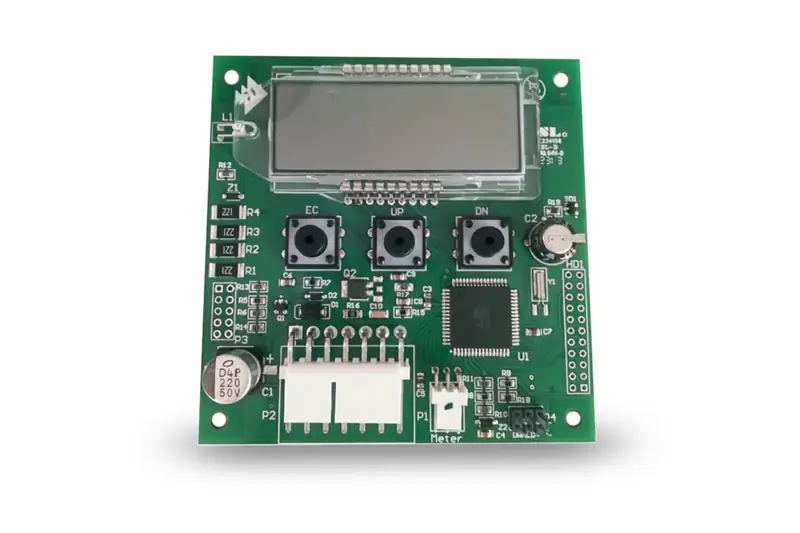
The 42684 manual says that if Err 1 returns after power-up, stop troubleshooting the control yourself. A board that keeps throwing errors can be replaced: Quality Water Treatment sells a Fleck 5600SXT replacement circuit board (sold by Quality Water Treatment, our store) (Pentair part BR43346-EO) for restoring a failed control, from $215 (October 2026).
Resets. The 42684 manual gives two:
- Soft reset: in Service, hold Extra Cycle and Down for 25 seconds. Parameters go back to defaults, except volume remaining or days since regeneration.
- Master reset: hold Extra Cycle while plugging the control back in. This resets all parameters, so go through master programming again afterwards.
After a power failure the time of day flashes, and the 42684 manual says skipped regenerations wait in a queue until the next RT. The reset guide covers when each reset is the right move.
If the valve body itself is worn out, Quality Water Treatment sells the complete Fleck 5600SXT 3/4" electronic meter valve (sold by Quality Water Treatment, our store) as a replacement control head, from $469 (October 2026). Compare repair and replacement in the control valve guide.
Common questions
Why can't the 5600SXT open master programming?
The time of day has to read exactly 12:01 PM first; at any other time, holding Up and Down opens the user settings instead. Set 12:01 PM, press Extra Cycle, then hold Up and Down together until DF appears, as the 42684 manual describes.
Which control type should a 5600SXT softener use?
The 42684 manual lists Fd (meter delayed), FI (meter immediate), tc (time clock) and dAY (day of week). Quality Water Treatment programs Fd on its units, which waits for the regeneration time once capacity runs low. Use the type your system was sized and sold for.
Does a 5600SXT lose its settings when the power goes out?
The 42684 manual says settings are kept in non-volatile memory; the time of day flashes when power returns and must be checked. Any regeneration it missed runs at the next scheduled RT.
Related guides
 SettingsAll softener settings in one place
 FixHow to reset a water softener
 FixWater softener troubleshooting
Parts for this job
Fleck 5600SXT 3/4" Electronic Meter Valve for Water Softeners
Check current options and prices at Quality Water Treatment.
View at Quality Water Treatmentwatersoftenerguide.net is owned by the team behind SoftPro Water Systems and Quality Water Treatment, which sell some of the parts and systems we link to. Ownership disclosure
More help: see our guide to water softener care.