
Fix
How to Reset a Water Softener
To reset a water softener, set the clock after a power cut, clear any error, then confirm the hardness and regeneration settings and run a manual regeneration. On a Fleck SXT valve, a soft or master reset restores settings when the program is corrupted.
Disclosure: watersoftenerguide.net is owned by the team behind SoftPro Water Systems and Quality Water Treatment, which sell some of the parts and systems we link to. Our steps follow the makers' manuals and published instructions, checked October 2026. Always check your own model's manual first. Ownership disclosure
View at Quality Water Treatment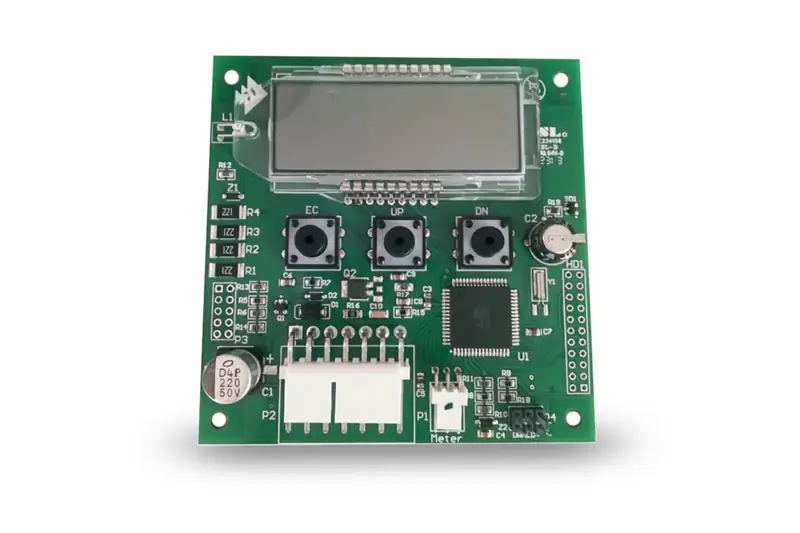
Quick answer
- After a power cut, set the time of day and confirm the settings.
- A flashing time after an outage is normal on a Fleck SXT.
- Fleck soft reset: press Extra Cycle plus Down together, 25 seconds.
- A master reset clears everything, so write settings down first.
- An immediate Fleck regeneration takes a 5-second press of Extra Cycle.
When a reset helps
Most "resets" are really three small jobs: setting the clock after a power cut, clearing an error, and putting back settings that were changed or lost. A full reset of the control board is the last of these, not the first.
Common reasons to reset:
- A power outage. The Fleck 5600SXT manual says the time of day flashes after a power failure, and pressing any button stops the flashing. A regeneration missed during the outage is queued for the next regeneration time. If the clock is wrong, regenerations happen at the wrong hour.
- An error code. On a Fleck SXT the display flashes when an error exists. Fleck boards don't all use the same code meanings, so match the code to your own board's manual. In the 5600SXT service manual P/N 42684, Err 2 flags too many days since the last regeneration and clears once the softener regenerates, while Err 3 signals a memory failure and needs a master reset.
- Settings someone changed. A wrong hardness or capacity value can leave hard water or waste salt without any error showing.
A reset won't fix a mechanical problem. If the softener fails to regenerate after the clock is right, check power first: the Fleck table lists an interrupted supply (fuse, plug or switch) as the first cause. The troubleshooting guide covers the rest.
Reset steps
These steps follow the Fleck 5600SXT manual. Other valves use different buttons, so check your own manual; the Fleck 5600SXT manual guide has more on the SXT display.
- Write down the current settings. Before any reset, note the hardness, capacity, reserve, day override and regeneration time. A master reset wipes them.
- Set the time of day. After an outage, press any button to stop the flashing, then set the clock. Quality Water Treatment's troubleshooting page says to run a manual regeneration after an outage and confirm the settings.
- Try a soft reset if settings look wrong. With the valve in Service, keep Extra Cycle and the Down arrow pressed for 25 seconds. The manual says this returns parameters to their defaults but keeps the volume remaining and the days since the last regeneration.
- Use a master reset only when needed. Hold Extra Cycle while plugging the valve back in. This resets every parameter, so you must re-enter Master Programming afterwards. The manual calls for it on an Err 3 memory failure.
- Re-enter your settings. Work through the list in the next section.
- Watch the next cycle. Confirm the softener regenerates at the set time and that salt use looks normal.
If the display stays blank with power present, or errors return after a master reset, the control board may have failed. A replacement 5600SXT circuit board (sold by Quality Water Treatment, our store) is available from Quality Water Treatment from $215.00 (October 2026); the store lists it as a genuine Pentair Fleck part, PN BR43346-EO. Unplug the valve before opening the cover.
Settings to re-check
After a reset or outage, confirm each setting against your notes or your installer's paperwork. On the Fleck SXT, pressing Up and Down together for 5 seconds opens user mode (any clock time other than 12:01 PM), which shows the day override, regeneration time, hardness, reserve and current day. The full list sits in Master Programming. The water softener settings guide explains each value.
| Setting | What it controls |
|---|---|
| Time of day | Whether regenerations start at the hour you chose |
| Hardness (H) | Grains per gallon from your water test |
| Unit capacity (C) | Grains the resin treats between regenerations |
| Reserve or safety factor | Soft water kept back before regeneration |
| Day override (DO) | Maximum days between regenerations |
| Regeneration time (RT) | Hour the cycle starts |
| Cycle step times | Minutes of backwash, brine draw, rinse and refill |
Use a real hardness figure, not a guess. If you don't have a recent test, our guide on how to test water hardness shows how. Quality Water Treatment's Fleck guide programs regeneration for 2:00 am, a day override of 14 and a 15% safety factor; treat those as one store's setup, not universal values.
Forcing a regeneration
A manual regeneration is the quickest way to confirm the softener works after a reset. On the Fleck 5600SXT, the manual gives three options:
- Tonight. Press Extra Cycle once. The service icon flashes and the regeneration is queued for the set regeneration time.
- Right now. Keep Extra Cycle pressed for 5 seconds and the cycle begins at once.
- Skip a step. During a regeneration, press Extra Cycle again to move to the next step.
Expect the cycle to run 60 to 90 minutes, per SoftPro's reset guide. Avoid running hot water during that time, since the house is on unsoftened water until the cycle finishes. The regeneration guide explains each stage and what is normal to hear.
Check salt before you force a cycle. A regeneration with no salt or a bridged tank rinses the resin without recharging it; the salt amount guide covers how full to keep it.
Related guides
Common questions
Does unplugging a water softener reset it?
A long enough power cut can cost you the time of day, but unplugging doesn't wipe the program on a Fleck SXT, which the manual says keeps settings in non-volatile memory. On a Fleck SXT, holding Extra Cycle while plugging back in is a master reset, so plug in without touching the buttons.
What does a soft reset keep on a Fleck SXT?
The Fleck manual says a soft reset returns settings to defaults except the volume remaining and the days since the last regeneration. You still need to re-enter hardness and the other values.
Why is the softener clock flashing?
On a Fleck SXT a flashing time means power was lost. Press any button to stop it and check the time is right.
Is it safe to force regenerations several days in a row?
It wastes salt and water but doesn't harm a working softener. If you need repeat regenerations to get soft water, look for a setting or mechanical fault instead.
Parts for this job
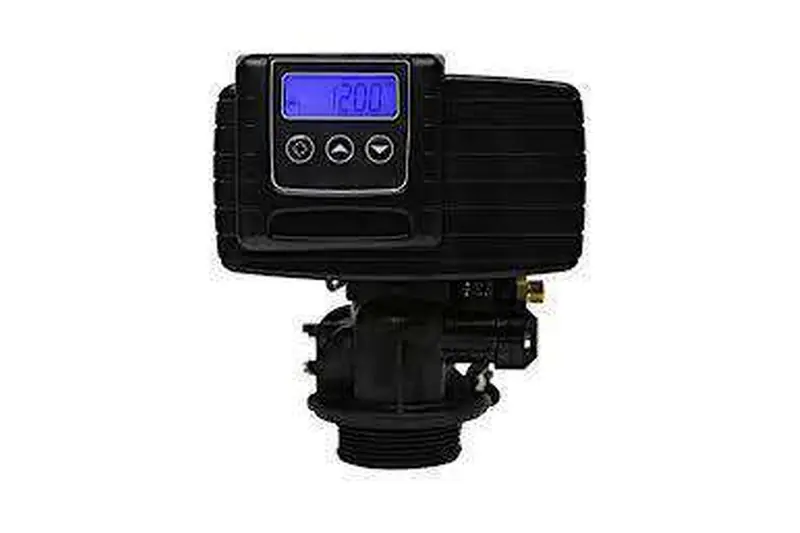
Fleck 5600SXT Replacement Circuit Board
Check current options and prices at Quality Water Treatment.
View at Quality Water Treatmentwatersoftenerguide.net is owned by the team behind SoftPro Water Systems and Quality Water Treatment, which sell some of the parts and systems we link to. Ownership disclosure
More help: see our water softener guides.